Custom Soccer Sticker Maker
Create soccer stickers for team notebooks and match-day gifts in Sticker Flux. Start with an original idea below, then choose an art style and a square, circle or die-cut shape in the advanced sticker maker.
Start designing


Ideas to try
A player kicking a ball in a green kit
A soccer boot and ball with colorful motion marks
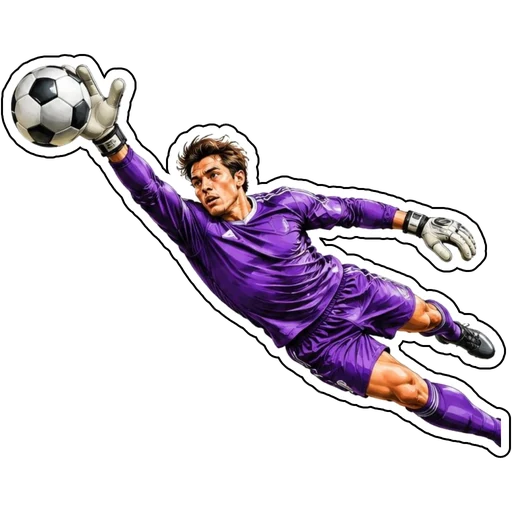
A goalkeeper making a diving save in purple
A trophy with a soccer ball and golden laurels
How it works
Choose your motif
A player kicking a ball in a green kit. Adapt the pose, colors and details to make the idea your own.
Set style and shape
Open the advanced maker with an idea below. Include a medium such as watercolor or cartoon in the prompt, then choose Square, Circle or Die-Cut.
Review your artwork
Check small details and any lettering. Downloads use the same finished artwork as the preview; print a test at your intended size before preparing a full sheet.
Design ideas for soccer stickers
Describe the action and kit colors rather than copying a professional team crest. A kicking player, diving goalkeeper or boot-and-ball motif gives your design a clear sporting identity. Keep the whole ball and both feet visible.
Build a personal soccer collection
For a local club collection, pair one action illustration with equipment and a celebratory trophy. Enter a short club name in the text field and inspect spelling. Original kit patterns help the artwork feel personal without relying on protected logos.
Tips
- Specify original kit colors without brand marks.
- Check fingers and feet in action poses.
- Use bold ball panels so they read when reduced.
FAQ
Can I make stickers for my local soccer club?
Yes. Use your own club name and original colors or artwork you have permission to use. Avoid copying protected professional crests or sponsor logos.
How do I start a soccer sticker design?
Tap an idea to open the advanced maker with that prompt filled in. Change the subject details, add optional text and choose a sticker shape before creating.
Which file should I use for contour cutting?
For circle or die-cut artwork, use the PNG to retain the transparent exterior. Import and check the outline in your cutting software; the app does not supply a machine-specific SVG path or registration marks.